GCP Project Level Onboarding Guide
Last updated: April 6, 2026
This guide explains how to onboard a GCP Project into the Matters platform using the Project access scope.
As part of the setup, you will need to download and run a Terraform template provided by Matters.
The provided Terraform template (gcp_project_onboarding.tf and gcp_project_onboarding.tfvars) will:
Enable the required Google Cloud APIs in the target project
Create a custom IAM role at the Project level
Assign the required permissions to that custom role
Bind the role to an existing Service Account
Prerequisites
Before starting, ensure the following:
You have Matters Super Admin access.
You have access to the target GCP project with permissions to:
Enable APIs (
serviceusage.services.enable)
Create project-level custom roles
Create IAM bindings at project level
You will run Terraform from Google Cloud Shell (recommended) or any environment authenticated to the project.
Terraform Enables Following Google APIs
Terraform script enables below listed APIs automatically using google_project_service.
APICapability ProvidedAPI Links | ||
serviceusage | Allows API enablement | https://console.cloud.google.com/apis/library/serviceusage.googleapis.com |
iam | IAM management (roles & SA) | https://console.cloud.google.com/apis/library/iam.googleapis.com |
cloudresourcemanager | Access project structure & IAM policy | https://console.cloud.google.com/apis/library/cloudresourcemanager.googleapis.com |
bigquery | Read BigQuery metadata/data | https://console.cloud.google.com/apis/library/bigquery.googleapis.com |
cloudkms | Access encrypted data / KMS inventory | https://console.cloud.google.com/apis/library/cloudkms.googleapis.com |
sqladmin | Work with Cloud SQL inventory/exports | https://console.cloud.google.com/apis/library/sqladmin.googleapis.com |
storage | Read buckets & objects | https://console.cloud.google.com/apis/library/storage.googleapis.com |
dataplex | Inventory & metadata | https://console.cloud.google.com/apis/library/dataplex.googleapis.com |
dataform | Dataform inventory | https://console.cloud.google.com/apis/library/dataform.googleapis.com |
Note: The script sets disable_on_destroy = false, so APIs will not be disabled if Terraform resources are destroyed.
Step 1 Configure Integration in Matters Console
Log in to the Matters Console as a Super Admin.
Navigate to:
Integrations → Cloud → Google Cloud
(URL:
https://app.matters.ai/data-security/integrations?type=cloud.If you use a dedicated tenant, replace
appwith your tenant name.)
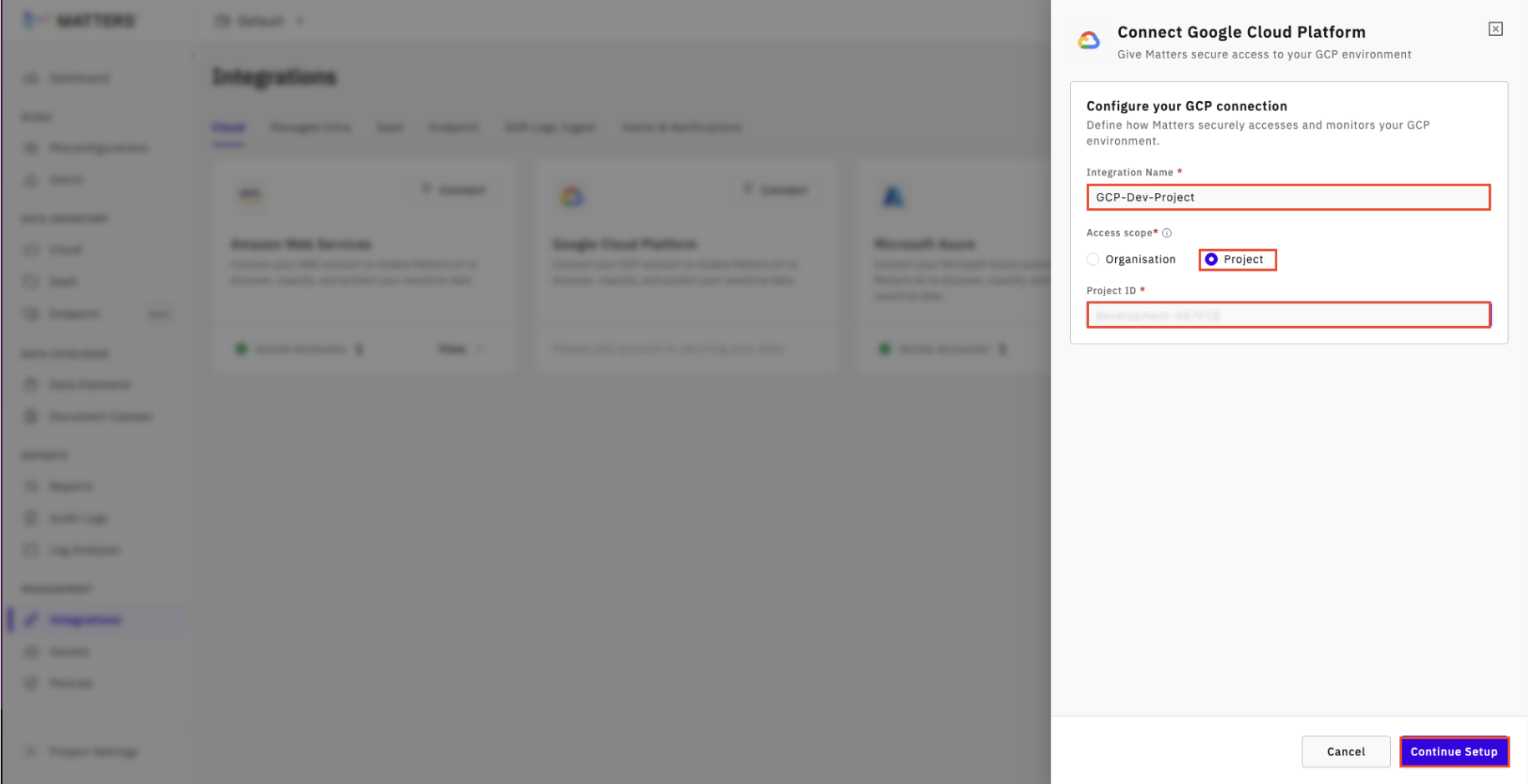
Click Connect on the GCP integration card.
Provide:
Integration Name
Access Level Scope → Project
Enter:
Project ID
Click Continue Setup.
Step 2: Download and Extract the Terraform Script
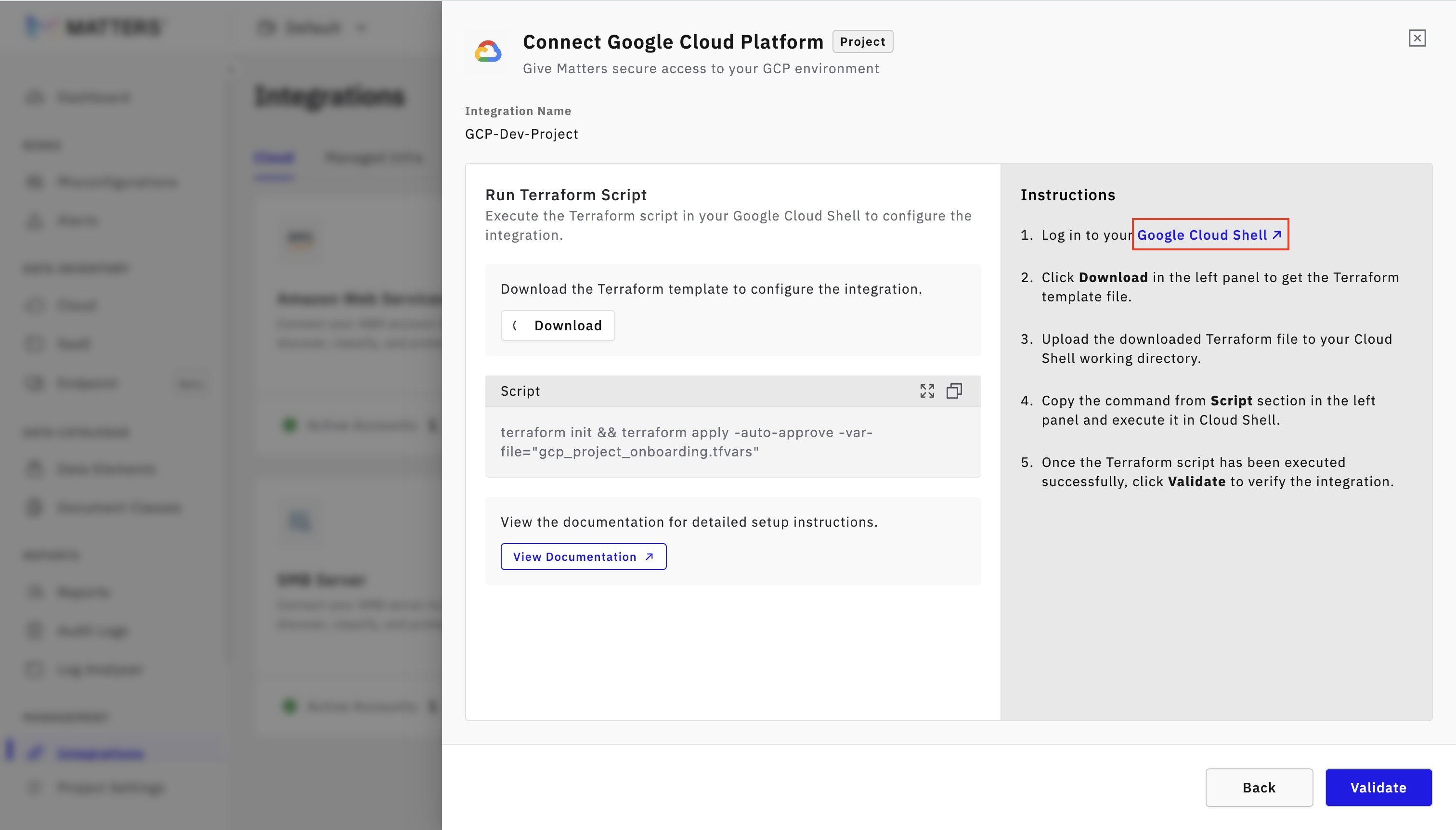
Click on the Google Cloud Shell hyperlink to log in to the GCP Admin account.
In the next step on the Matters Dashboard, click Download Script.
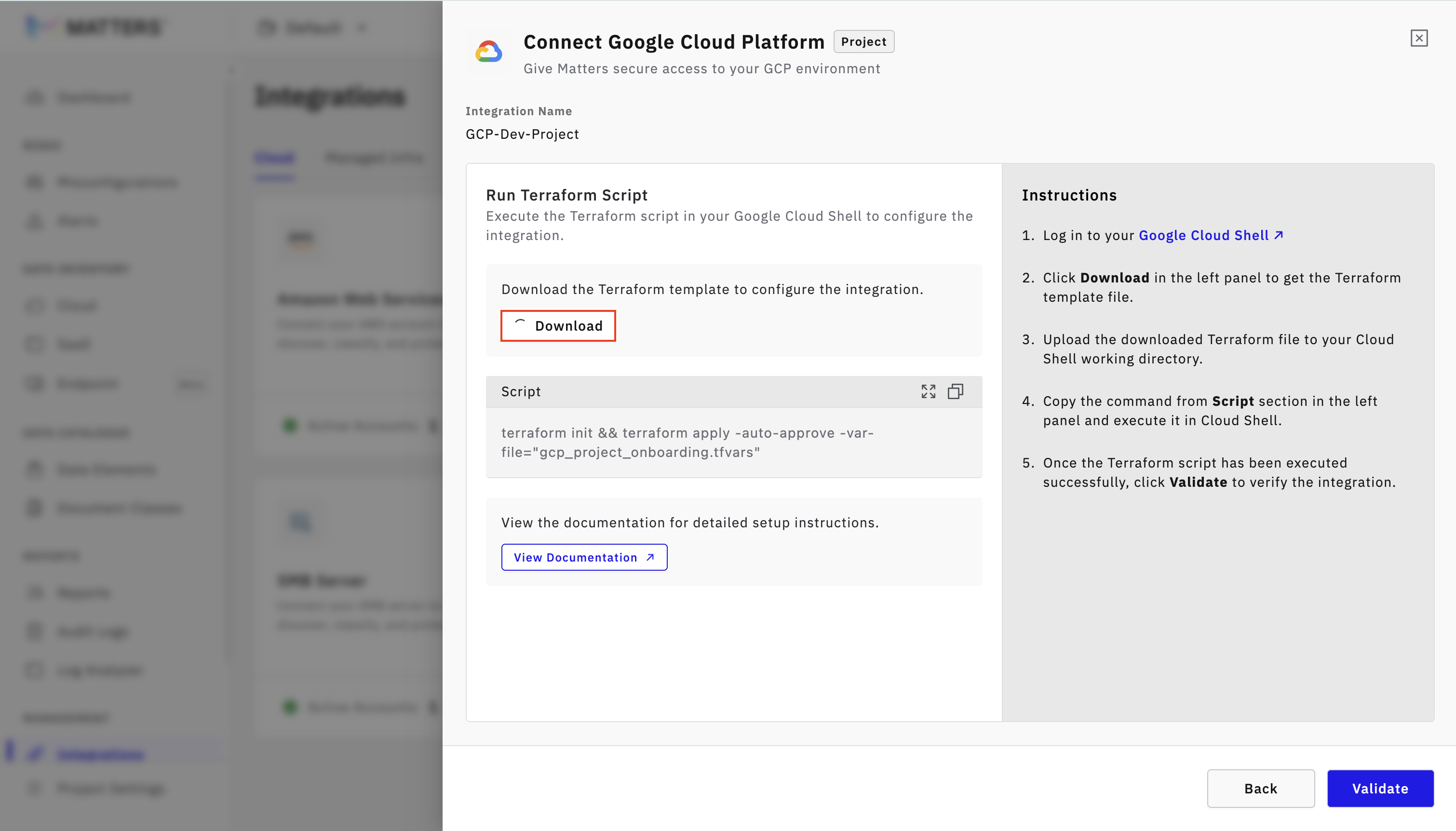
A .zip file will be downloaded.
Extract the zip — it contains two Terraform files:
gcp_project_onboarding.tf → Terraform configuration to:
Enable required project APIs
Create a project-level custom IAM role
Bind the role to a service account
gcp_project_onboarding.tfvars → Variable file where you provide:
project_id
matters_service_account_email
role_id
Step 3: Open Google Cloud Shell
In the GCP Management Console, click SSH (top-right corner) to activate Cloud Shell.
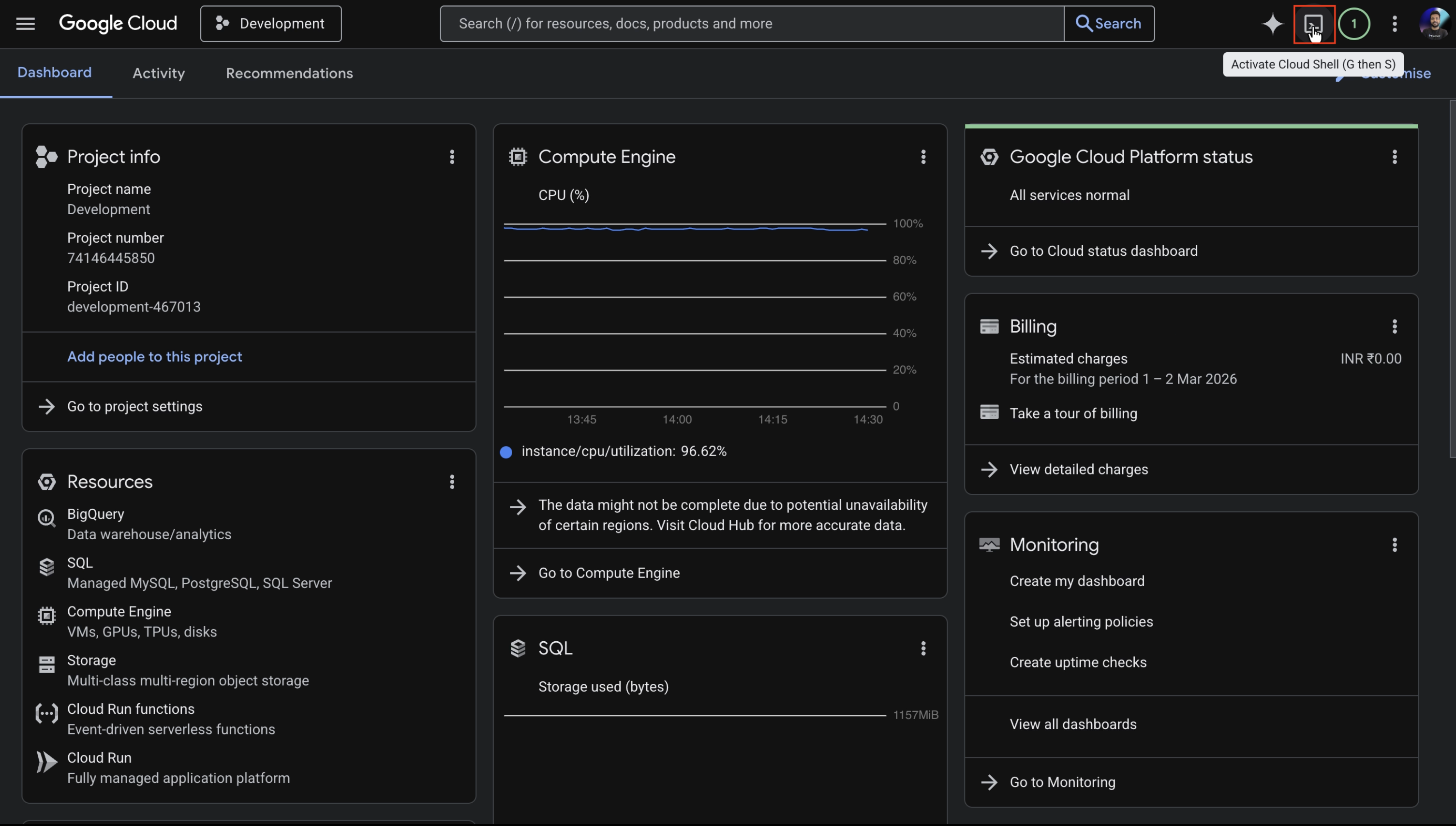
Authorize access when prompted. Cloud Shell will now be ready for Terraform execution.
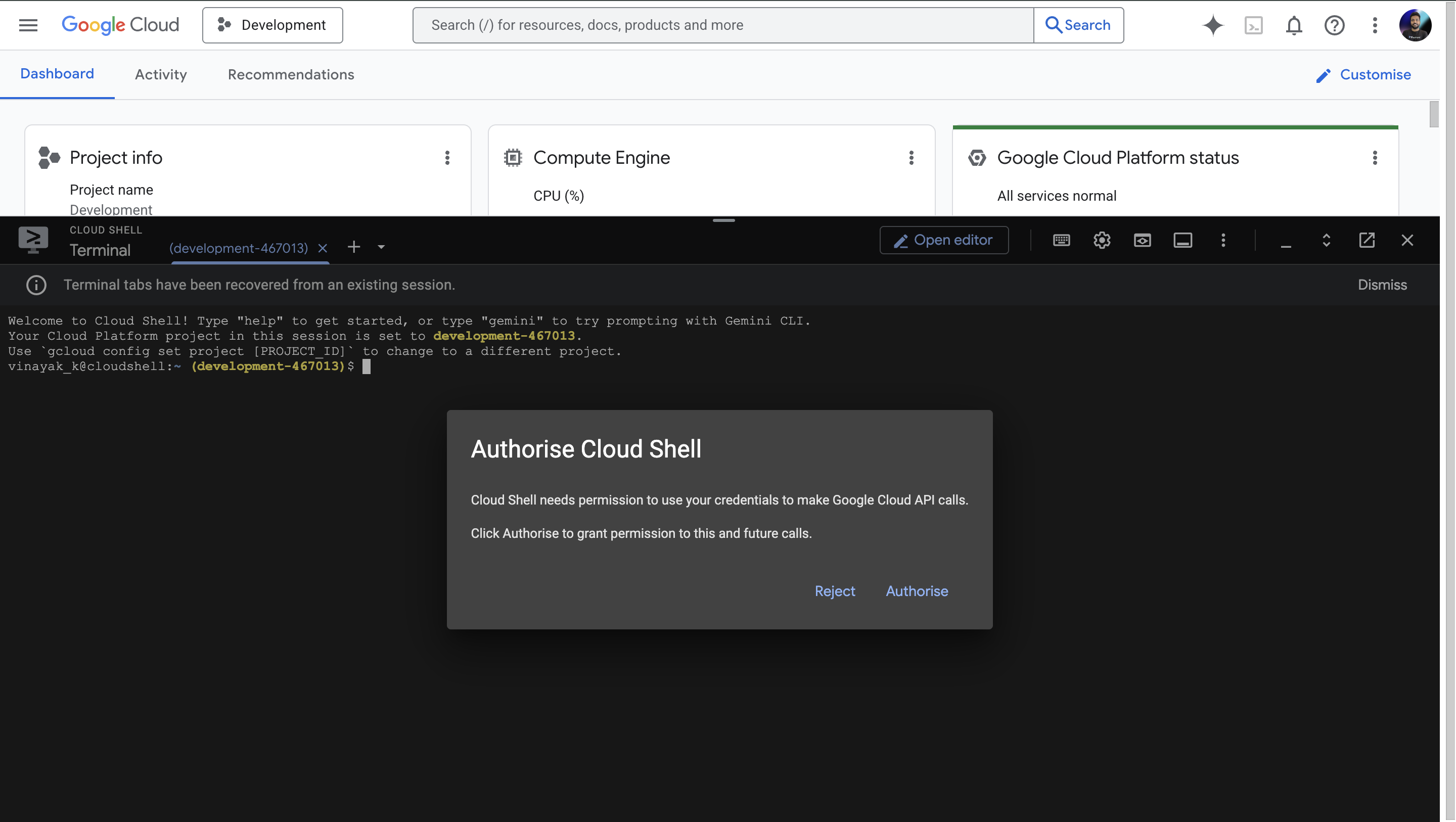
Step 4: Upload the Terraform Folder to Cloud Shell
In Cloud Shell, click the Upload option.
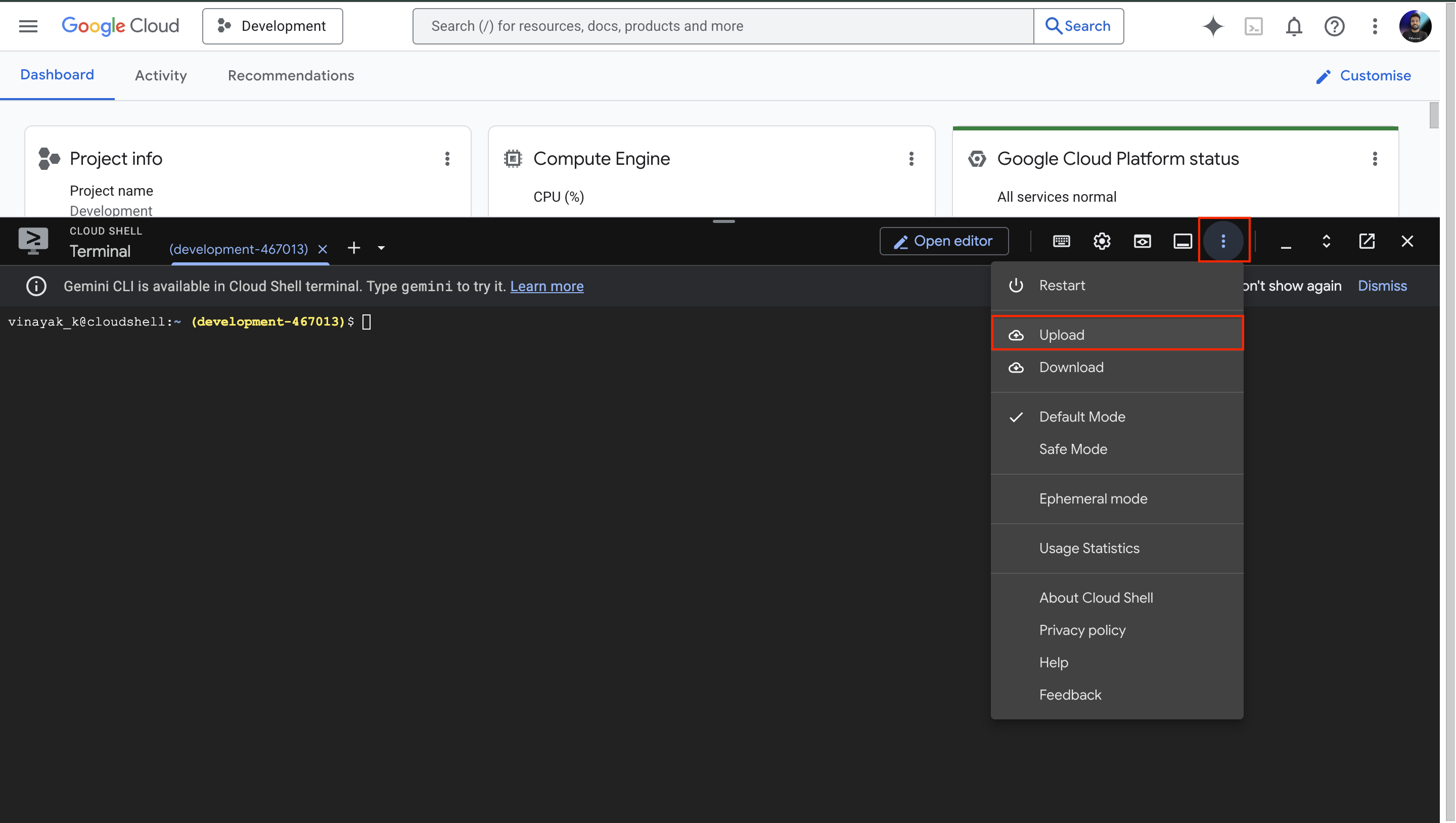
Select the extracted folder from your system and click on upload.
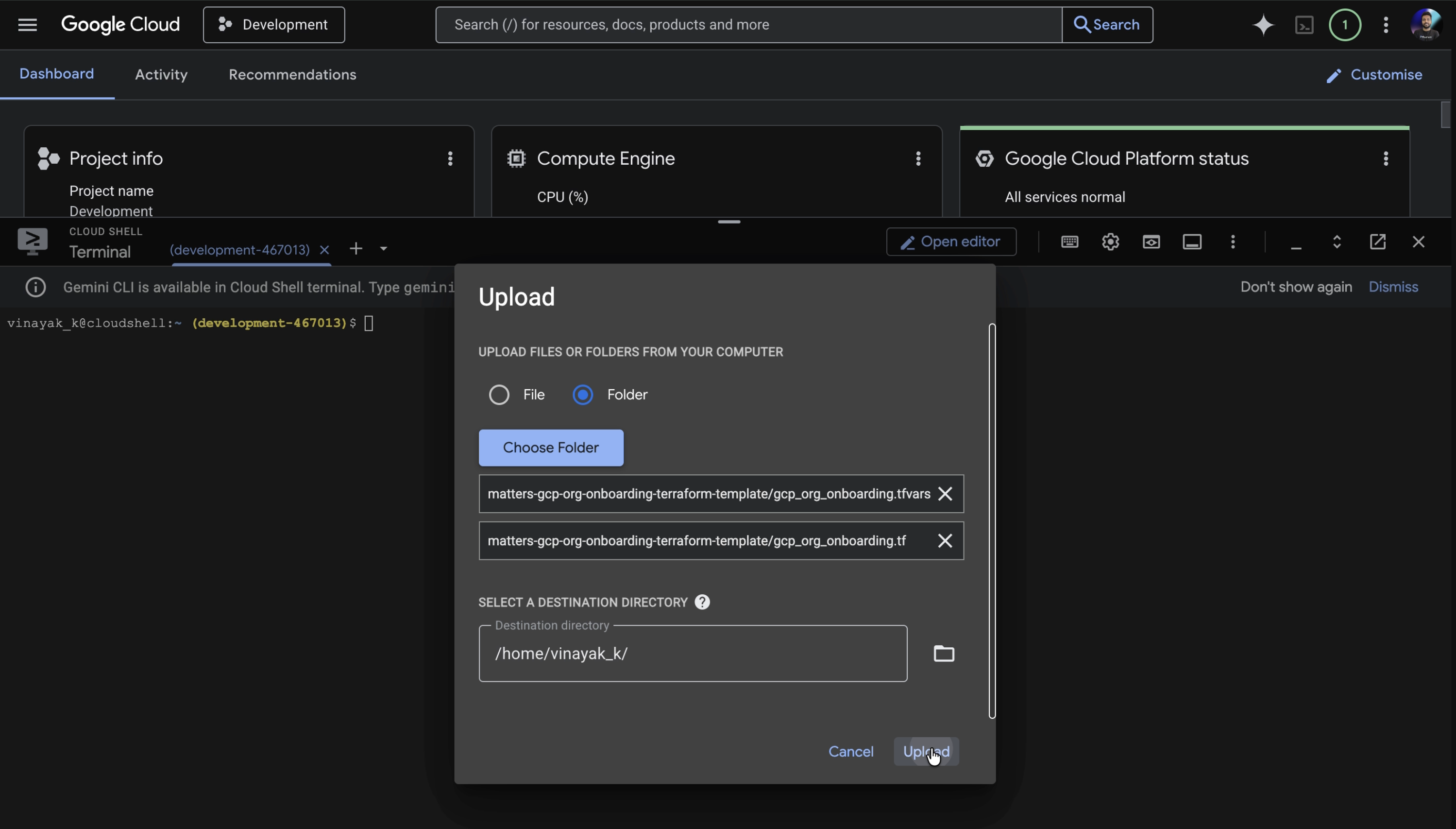
Once upload is complete, navigate into the folder:
cd <folder_name>
Confirm files exist:
lsYou should see gcp_org_onboarding.tf and gcp_org_onboarding.tfvars.
Step 5: Run Terraform to Create Required Resources
In Cloud Shell, navigate to the folder where the files were uploaded and execute the following command (you may also copy this command from the Matters Dashboard):
terraform init && terraform apply -auto-approve -var-file="gcp_org_onboarding.tfvars"
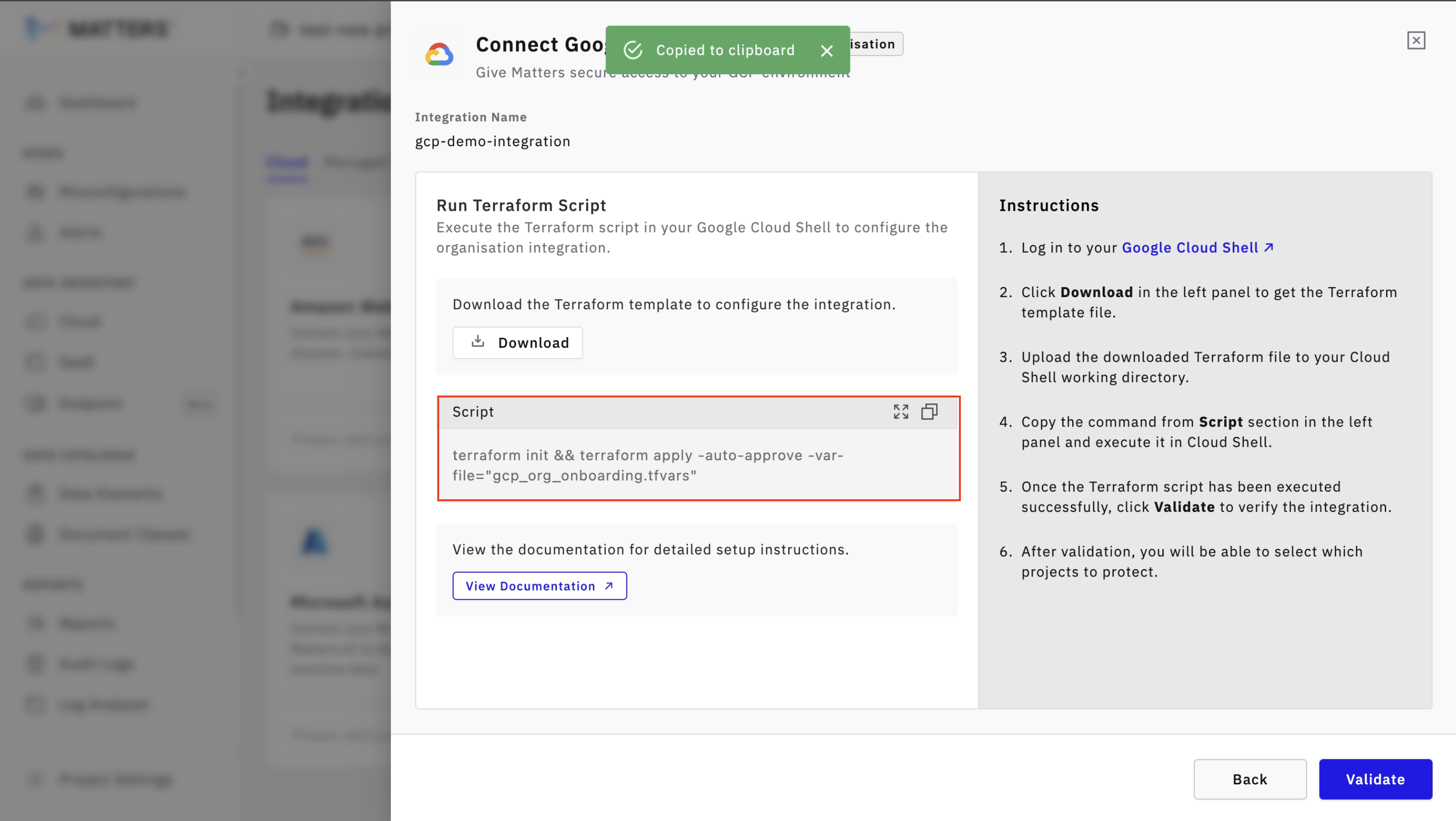
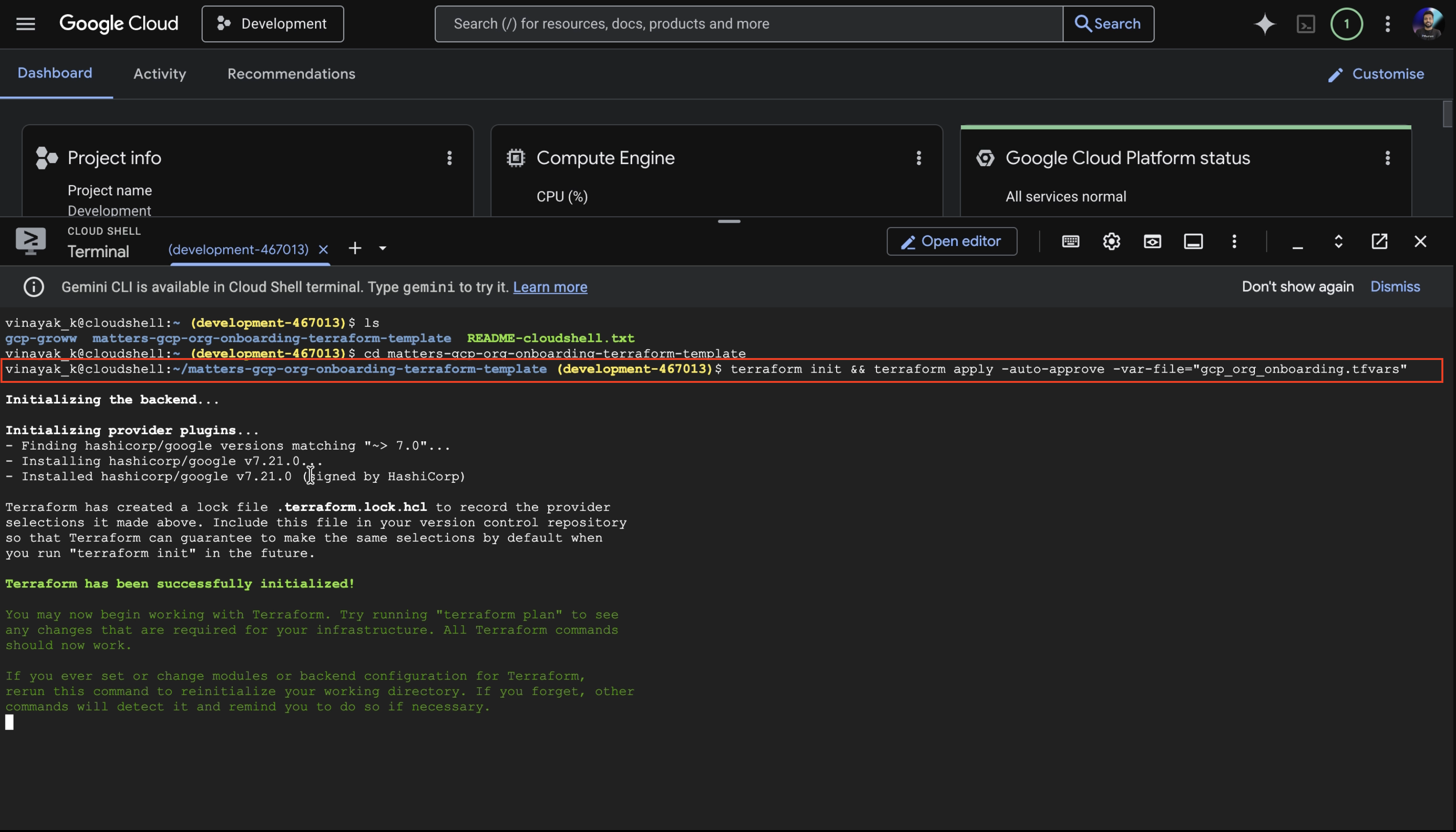
After Terraform completes successfully:
Click Validate in the Matters Console. Matters will verify access and permissions.
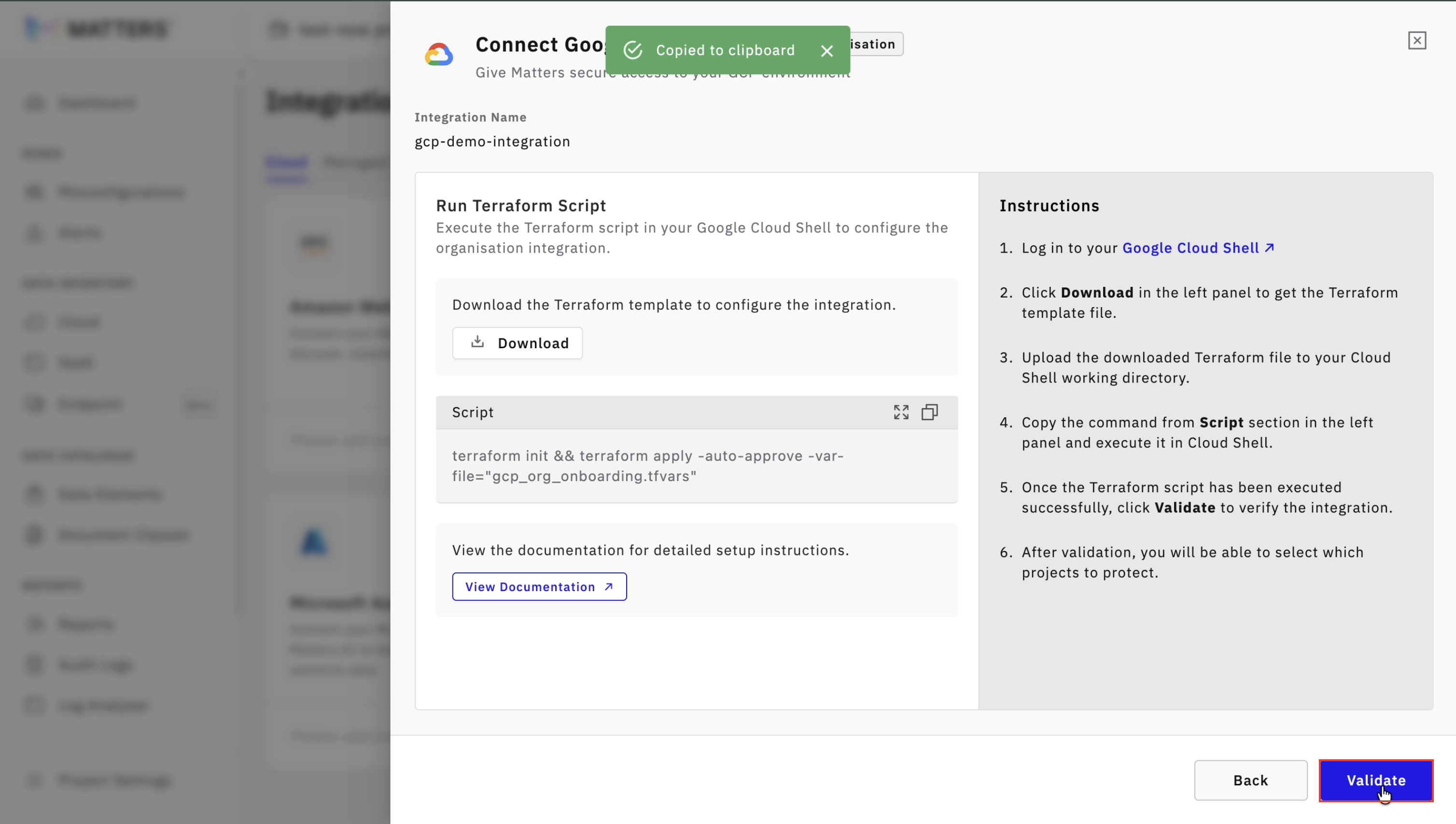
Step 6: Integration Complete
You will see “Integration Successful” message once Integration is complete
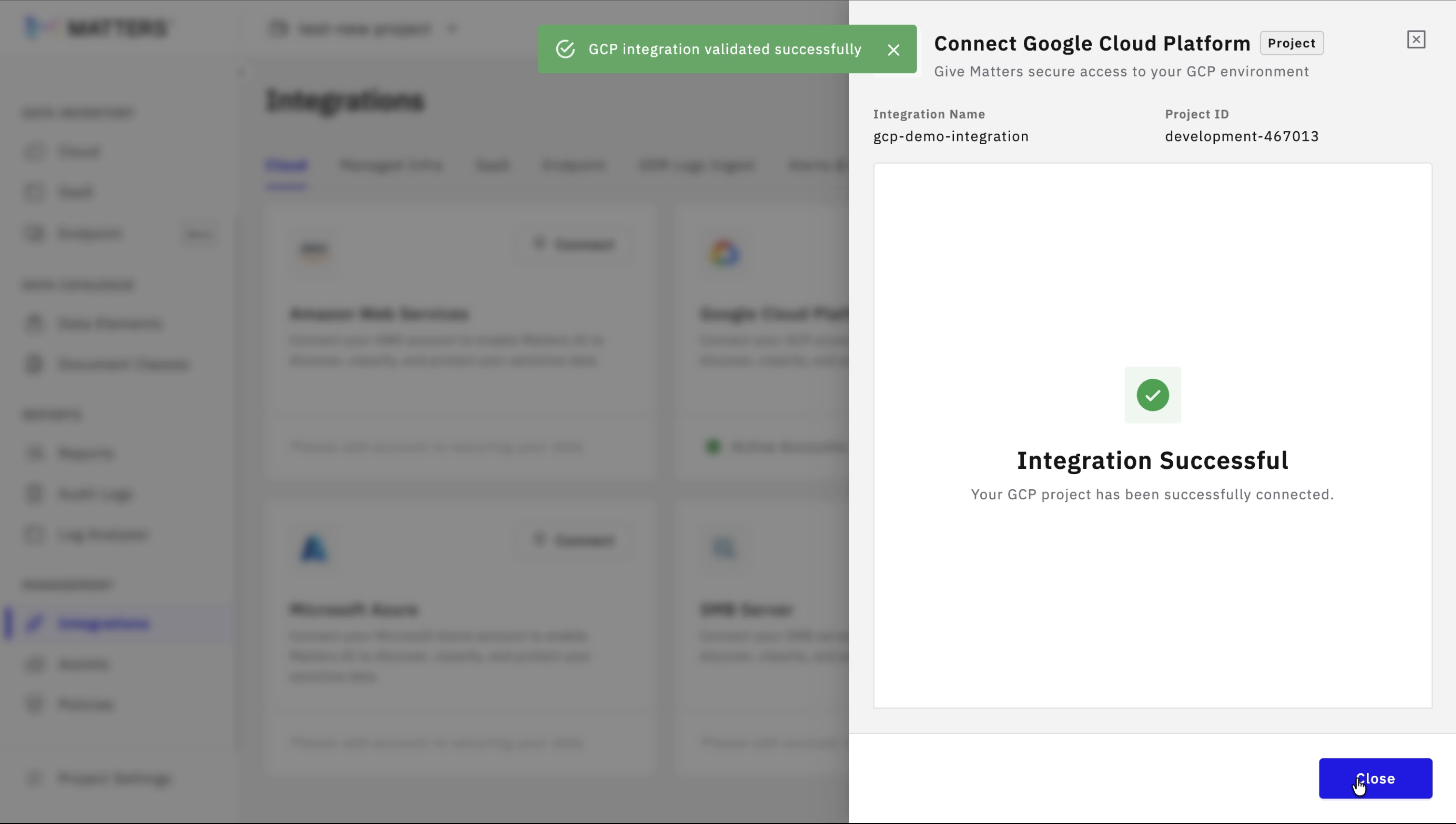
Once the account is successfully integrated, all supported data stores across the selected GCP account will be automatically discovered in the Matters dashboard.
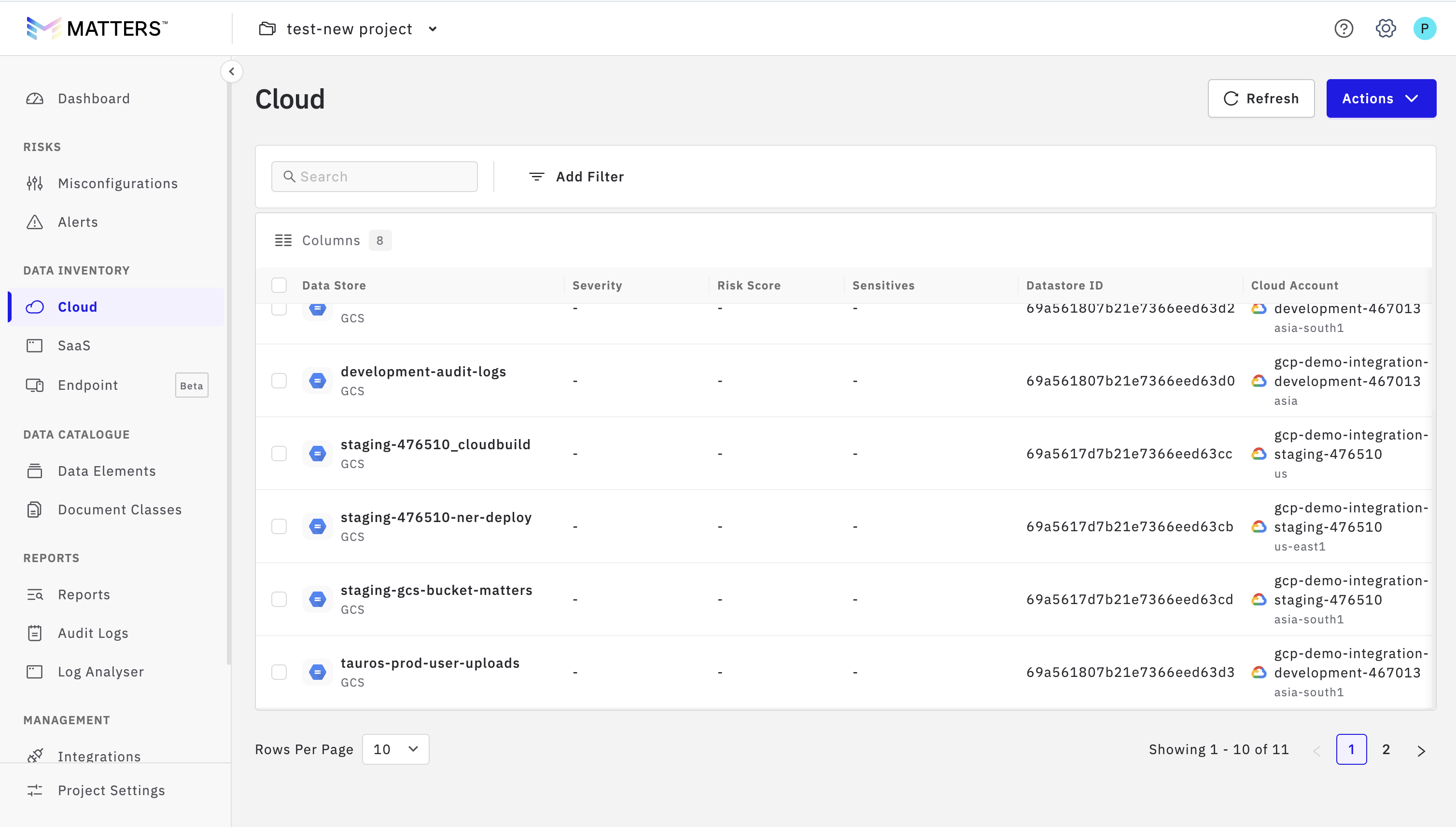
After discovery, you can click on the data store selectively and can run scans on specific data stores to identify and classify sensitive entities as per your requirements. This allows you to focus on relevant resources and efficiently manage sensitive data across your organization.
Understanding What the Terraform Script Configures (Project Scope)
1) Enables Required APIs (Project Level)
The script enables required APIs in the project via:
google_project_service.required_apis
It loops through a list of APIs and enables each one.
It does not disable APIs on destroy (
disable_on_destroy = false).
2) Custom IAM Role Creation (Project Level)
Terraform creates a custom IAM role at the Project level:
Role title: Matters Integration Role
Role ID: from
role_idintfvars
Stage:
GA
Permissions: a curated set used for discovery / inventory / limited export across:
BigQuery
Cloud Storage
Cloud SQL
Cloud KMS
Dataform
Dataplex
Resource Manager (project + IAM policy visibility)
IAM Permissions Included in the Custom Role (Project Template)
Below is the permission set used by the project onboarding Terraform
Service AreaIAM PermissionCapability / Purpose | ||
BigQuery |
| List query and load jobs |
BigQuery |
| Run BigQuery jobs (queries, exports) |
BigQuery |
| View dataset metadata |
BigQuery |
| View dataset IAM policies |
BigQuery |
| List tables |
BigQuery |
| View table metadata |
BigQuery |
| Read table data |
BigQuery |
| View table IAM policies |
BigQuery |
| Export table data |
BigQuery |
| Create table snapshots |
BigQuery |
| Create read sessions |
BigQuery |
| Update read sessions |
BigQuery |
| Retrieve read session data |
BigQuery |
| List ML models |
BigQuery |
| View ML model metadata |
BigQuery |
| Read ML model data |
BigQuery |
| Export ML models |
BigQuery |
| List routines (UDFs/procedures) |
BigQuery |
| View routine definitions |
BigQuery |
| List saved queries |
BigQuery |
| View saved query definitions |
BigQuery |
| View Data Transfer configurations |
BigQuery |
| View BigQuery project configuration |
BigQuery |
| View reservation configuration |
BigQuery |
| List reservations |
BigQuery |
| Use BigQuery slot reservations |
BigQuery |
| List failover datasets |
BigQuery |
| List reservation assignments |
BigQuery |
| Search reservation assignments |
BigQuery |
| View capacity commitments |
BigQuery |
| List capacity commitments |
BigQuery |
| View BI reservation settings |
BigQuery |
| Translate SQL to BigQuery |
Cloud Storage |
| List buckets |
Cloud Storage |
| View bucket metadata |
Cloud Storage |
| View bucket IAM policy |
Cloud Storage |
| List objects |
Cloud Storage |
| Read objects |
Cloud SQL |
| List Cloud SQL instances |
Cloud SQL |
| View Cloud SQL instance metadata |
Cloud SQL |
| Connect using ephemeral certificate |
Cloud SQL |
| Export Cloud SQL data |
Cloud KMS |
| Create key handles |
Cloud KMS |
| View key handles |
Cloud KMS |
| List key handles |
Cloud KMS |
| View KMS operations |
Cloud KMS |
| View Autokey configuration |
Dataform |
| List Dataform locations |
Dataform |
| View Dataform location metadata |
Dataform |
| List Dataform repositories |
Dataform |
| Create repositories |
Dataplex |
| Discover projects via Dataplex |
Resource Manager |
| View project metadata |
Resource Manager |
| View project IAM policy |