Matters AI MCP
Last updated: July 3, 2026
Connect your Matters AI project directly to Claude.ai (or any MCP-compatible client) and ask questions about your data security posture in natural language, no dashboards, no SQL, no custom scripts.
What you can do
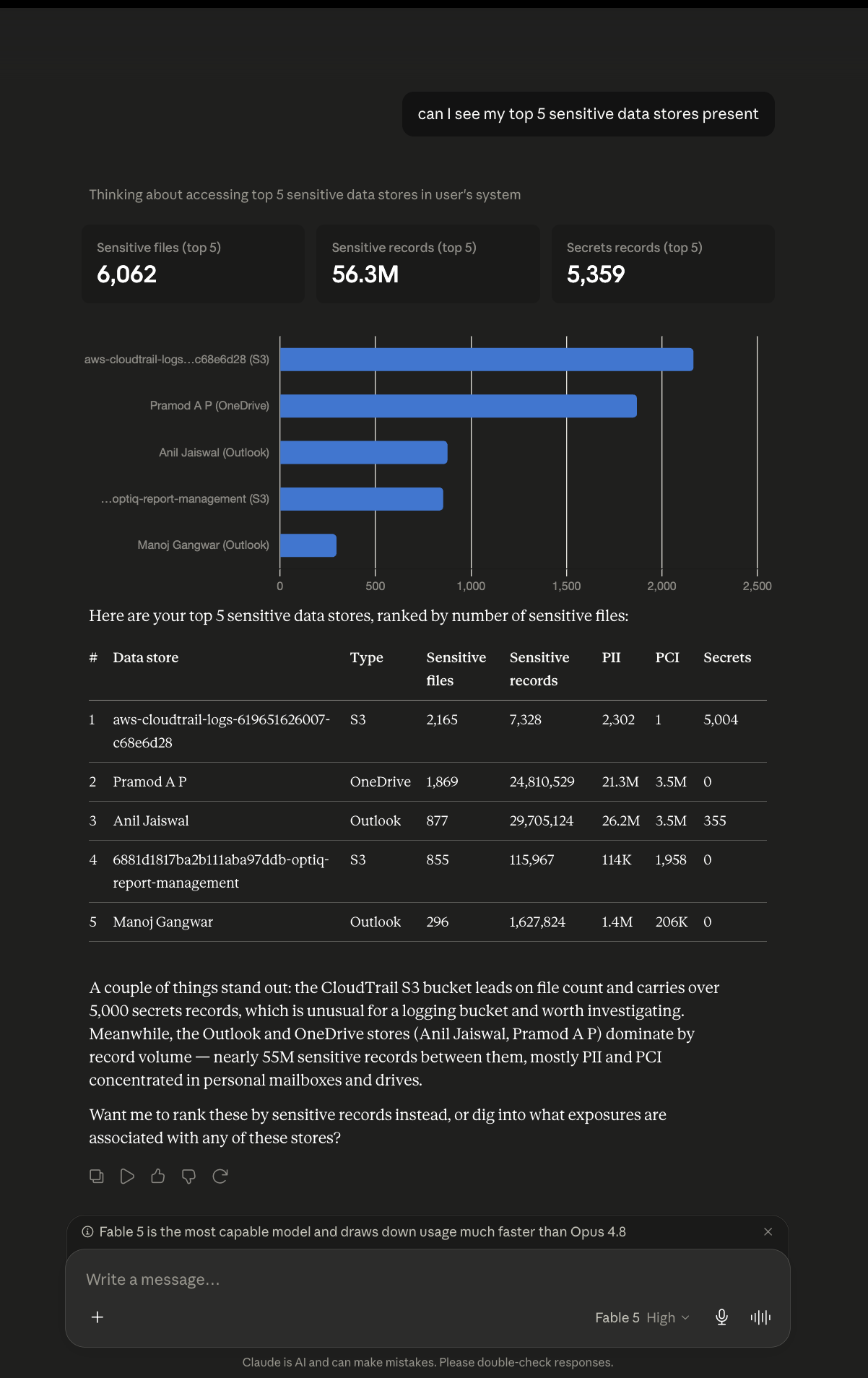
Once connected, you can ask Claude questions like:
Which S3 buckets have the most PII records?
I am about to present the organization regarding the security posture, please prepare a report in DPDP act format
Evaluate my organization risk, and suggest what I can do to reduce maximum risk with minimal remediation.
Supported query types:
Reports
Risk assessments
Visual insights
Custom risk scores
Trend analysis
Datascope :
Cloud
SaaS
Endpoint
Misconfigurations
Exposures
Getting started :
Step 1 : Add the MCP connector in Claude.ai
Open Claude.ai and go to Settings → Integrations (or the custom connector section of your Claude.ai plan).
Add a new custom connector with the following URL https://app.matters.ai/mcp
Click Connect. Claude will redirect you to a Matters AI authorization screen.
Step 2 : Authorize and select your project
On the authorization screen:
You'll see a list of projects your account has access to.
Select the project you want to query. You can select all projects as well which will provide you the access to query on account level.
Click Authorize.
Claude will now have read-only access to that project's data. You're ready to ask questions.
Enabling a New Account :
Go to https://admin.prod.matters.ai/ and start sync for the corresponding account.